
One of my clients has extremely complex business logic which, coupled with them sometimes doing things I never expected, makes investigating issues quite difficult. Two examples...
1) They noticed that the commission amount on a transaction did not match the transaction amount. It took me a while to guess that they had changed the transaction amount after the transaction had been created, but the commission, which was correctly set when the transaction was created, was not updated when it was modified.
2) They complained that two statements had different investor addresses, despite them being for the same person. This one really wasted a lot of time before I discovered that they had changed the investor's address after generating the first statement and before generating the second.
Both of these issues would have been soooo much easier to debug with some decent auditing. This is something I keep intending to add, but have never done, partly because it's boring!
As Copilot never seems to get bored, I decided to ask it to do the job for me. I spent about 15 minutes with Claude, explaining my basic request, and asking for some ideas as to how it could be done in a way that it required minimal setup, and could be reused in different projects.
Having generated a plan, along with a lot of ideas I never thought of, I created a Github issue and assigned it to Copilot. After a few iterations, which were mostly due to me getting excited and adding more features, I ended up with a very simple, reusable auditing feature.
The default view shows you all entities that have been added, modified or deleted...
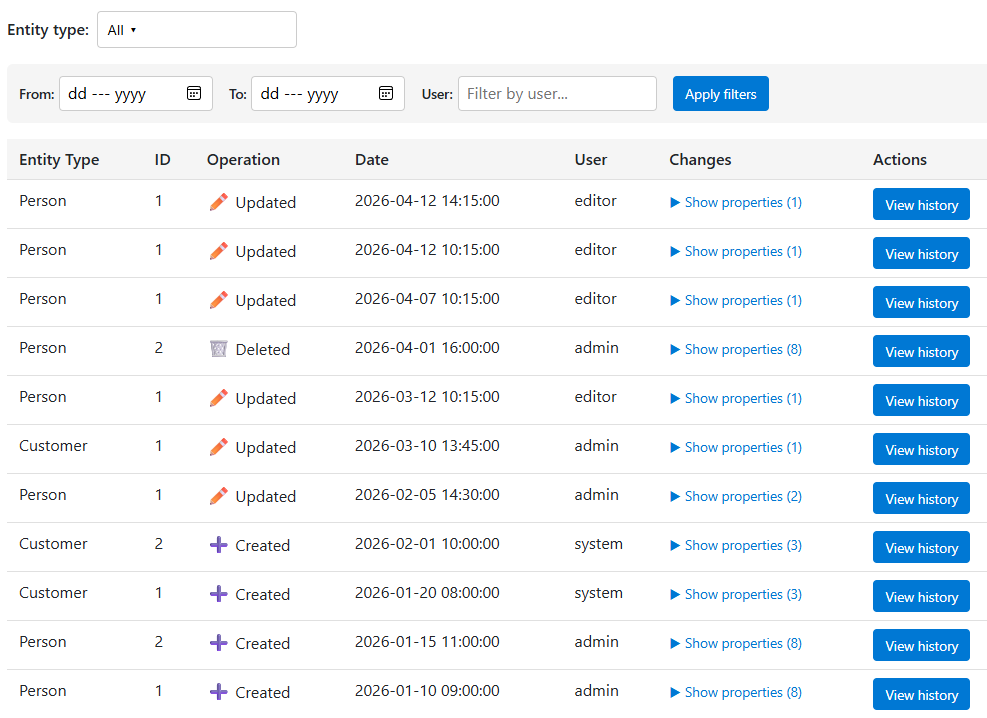
You can filter the list to show just entities that interest you, or by date, user or operation. Clicking on an entity shows you the history...
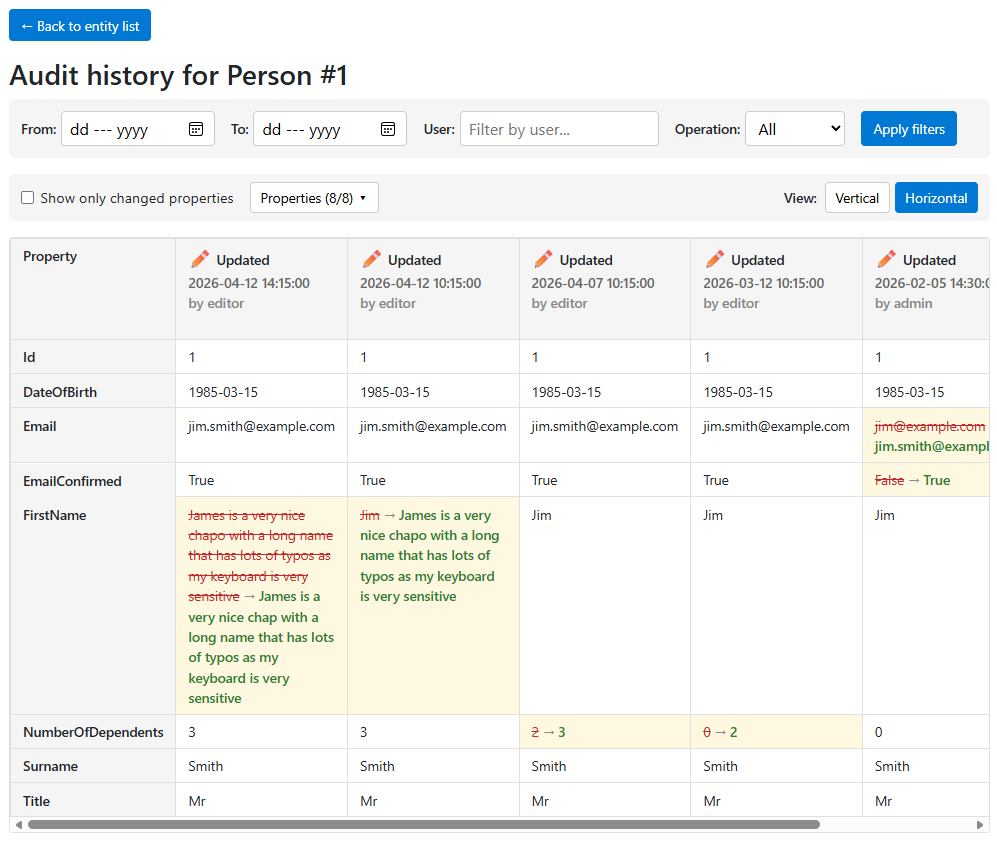
I added this to the Pixata Utilities repo, so it is available as part of the packages. Full instructions on how to set it up can be found in the readme file
Comments
No approved comments yet.